Contacts Android app icon
Communication

Contacts for Android – App Info & Latest Version

Google LLC

Google Play Rating★ 4.32M reviews
Downloads5B+Google Play range
Android OSVaries by device
Content RatingEveryone
Get Contacts on Google Play ↗

DroidVersion does not host or distribute APK files. Installation links point to official or authorized sources.

Official listing media

Contacts Screenshots

8 screenshots
Contacts for Android screenshot 1Contacts for Android screenshot 2Contacts for Android screenshot 3Contacts for Android screenshot 4Contacts for Android screenshot 5Contacts for Android screenshot 6Contacts for Android screenshot 7Contacts for Android screenshot 8
About the app

About Contacts

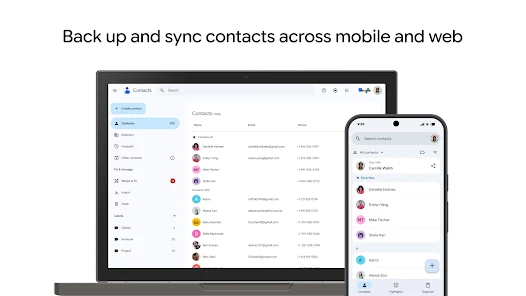
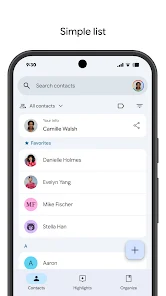
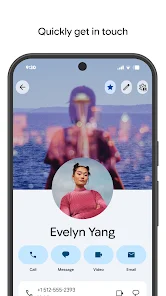
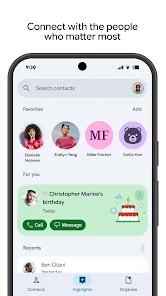
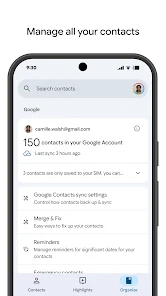
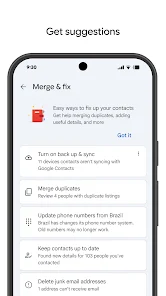
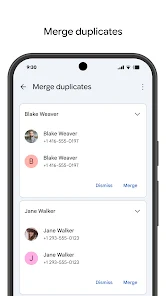
Contacts is an Android app in the Communication category from Google LLC. The current Google Play listing data tracked by DroidVersion includes 5B+ downloads. Back up your contacts & access them anywhere

Contacts for Android

DroidVersion tracks independent app information, Android compatibility, official-source references and practical guides for Contacts.

Official Android source

Use the official Google Play button on this page for the current listing available to your device.

Listing intelligence

Contacts facts & context

Category context

Contacts is listed in the Communication category on DroidVersion, making it easier to compare with related Android apps.

Developer

Google LLC is the developer recorded for this listing. Check the developer name on Google Play before installing or updating.

App identity

The package identifier com.google.android.contacts helps distinguish this listing from similarly named Android apps.

DroidVersion database

How this app page is maintained

This page is built from structured listing data stored by DroidVersion. The catalog periodically checks the official Google Play source for changes to version, update date, compatibility, rating and download information. Historical values are retained when a new version is detected.

Last listing check: November 1, 2026 3:42 am

Android guide

How to install or update Contacts safely

  1. Open the official Google Play listing using the button on this page.
  2. Confirm the app name and developer before installing.
  3. Tap Install or Update if the action is available for your device.
  4. Review requested Android permissions and allow only those needed for features you use.
  5. For future updates, return to Google Play rather than relying on unknown download sources.
Additional information

Contacts App Information

AppContacts
DeveloperGoogle LLC
Package Namecom.google.android.contacts
Requires AndroidVaries by device
CategoryCommunication
Content RatingEveryone
Google Play Rating★ 4.3 · 2M reviews
Downloads5B+ Google Play range
Last CheckedNovember 1, 2026
Discover more

Related Android apps

Common questions

Contacts FAQ

Where can I get Contacts for Android?

Use Google Play or another source authorized by the app developer. DroidVersion links to the official source when available.

Does DroidVersion host the Contacts APK?

No. DroidVersion is an independent app-information site and does not host or distribute APK binaries.

What is the Contacts package name?

The package name recorded on this page is com.google.android.contacts.